How Do I Connect Google Ads to ChatGPT?
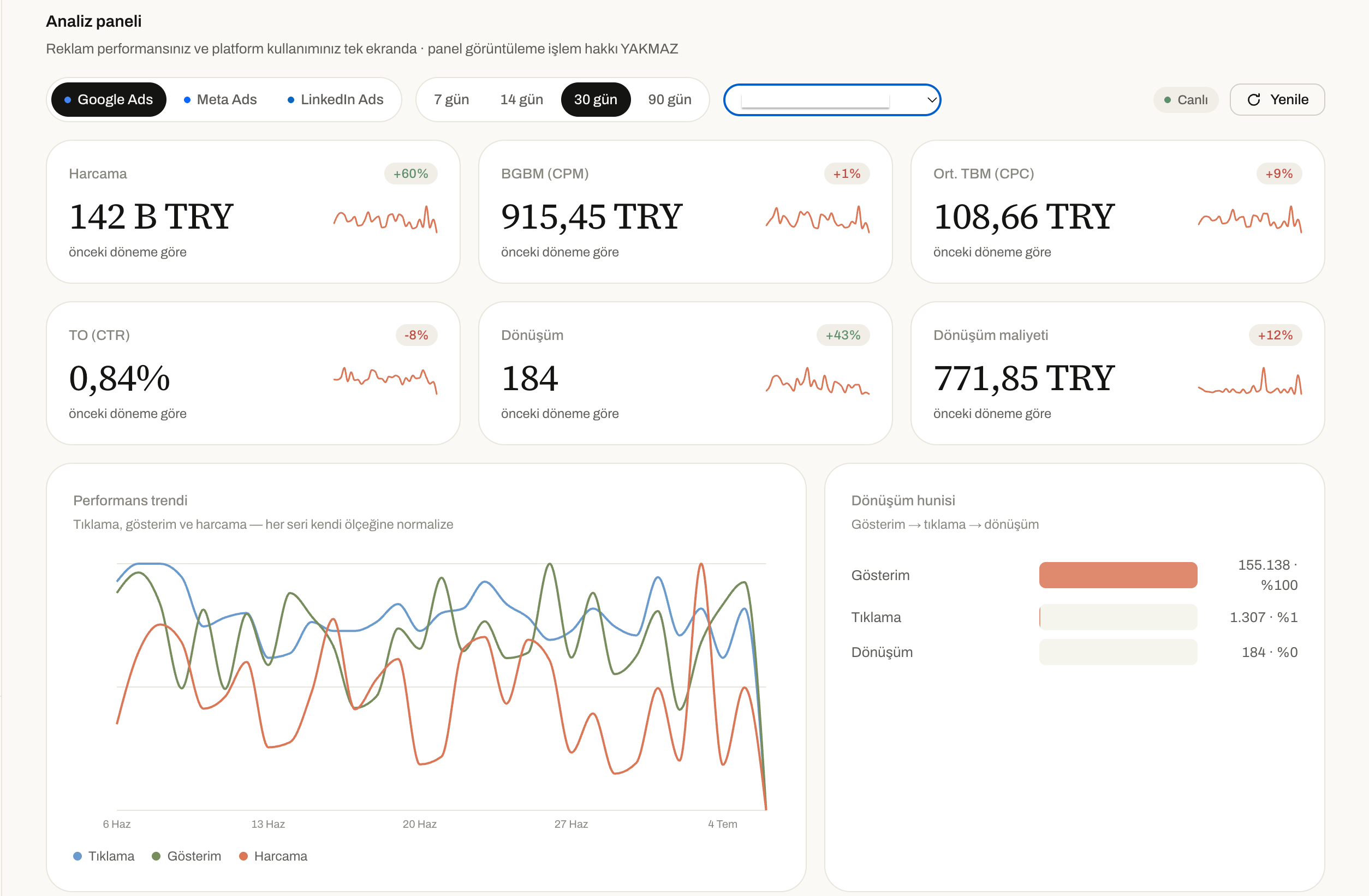
You open the Google Ads dashboard and you're hit with dozens of tabs and hundreds of rows of numbers. Which campaign is actually turning a profit, and which one is just burning budget? To figure that out, you usually have to download a report first, then turn it into a spreadsheet, and then spend hours comparing the numbers.
Category
Author
Date
Reading time
Share
You open the Google Ads dashboard and you're hit with dozens of tabs and hundreds of rows of numbers. Which campaign is actually turning a profit, and which one is just burning budget? To figure that out, you usually have to download a report first, then turn it into a spreadsheet, and then spend hours comparing the numbers. More often than not, you can't find the time for any of this, and the questions go unanswered.
Connecting ChatGPT directly to your Google Ads account changes that process completely. In this article, we'll walk you through the setup step by step.
The most common roadblocks in Google Ads management
Almost everyone who manages an account gets stuck on these three things:
- Where is the budget going? The money you spend doesn't line up with the results you get, but tracking down which campaign or keyword is to blame takes time.
- Which campaign is genuinely performing well? A campaign that looks great on clicks may not be converting into sales.
- What should the next move be? Deciding where to cut budget and where to shift it is a serious analysis job on its own.
All of this information already lives inside Google Ads. The problem isn't a lack of data — it's not being able to get to it quickly.
What changes once you connect it to ChatGPT?
Once the connection is set up, you no longer have to download and dig through a report. You just type your question, and ChatGPT looks at the live data in your account and gives you a clear answer. A few examples:
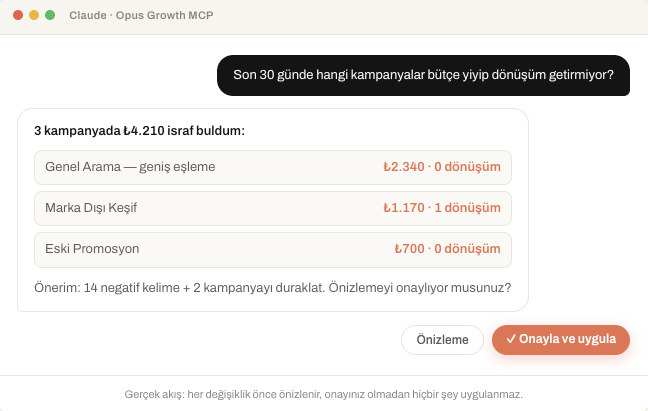
- “Over the last 30 days, which campaign spent the most but drove no conversions?”
- “Rank the keywords with high cost and low conversions.”
- “Why did my cost per click go up compared to last week?”
- “Which campaign should I shift my budget to for better efficiency?”
Analysis that takes hours in the dashboard now takes a few seconds. You spend your time making decisions instead of reading numbers.
Setup: Step by step
In ChatGPT, external connections are managed under the Apps section.
- Open ChatGPT and go to the Settings menu in the top right.
- Switch to the Apps tab.
- At the bottom of the page, click Advanced settings and enable Developer mode. At this point, ChatGPT shows an “elevated risk” warning — this is a standard notice that appears whenever you add a custom connector, so there's no need to stop the setup.
- Click the Create app button.
- Give the connector a name (for example, “Opus Growth Google Ads”) and paste in the MCP server address:
https://googleads.opus-growth.com/mcp - Choose OAuth as the authentication method, check the confirmation box, and save with Add.
- In the window that opens, sign in with your Google account and select the Google Ads accounts you want to grant access to.
- Once setup is complete, the app appears in your Settings > Apps list.
- In a chat, click the “+” icon, then More, and turn on your connector for that conversation.
If you're not happy with the connection, you can remove it from the same screen with no waiting period.
The infrastructure behind this connection: Opus Growth
Our team built the connector that moves your Google Ads data to AI assistants securely and in real time. Because it uses the MCP (Model Context Protocol) standard, a single setup works in both ChatGPT and Claude. The data flows straight from your own Google Ads account; it isn't stored on any third-party server.
On the connection screen, you can clearly see which accounts and which data you're granting access to. You're always the one who decides on permissions.
Plan options
| Plan | Accounts You Can Connect | Who It's Best For |
| Free | 1 account | Anyone trying the system for the first time |
| Pro | 1 account | Businesses that regularly manage a single account |
| Agency | Unlimited accounts | Agencies managing multiple client accounts |
Frequently Asked Questions
Can it really find wasted ad budget?
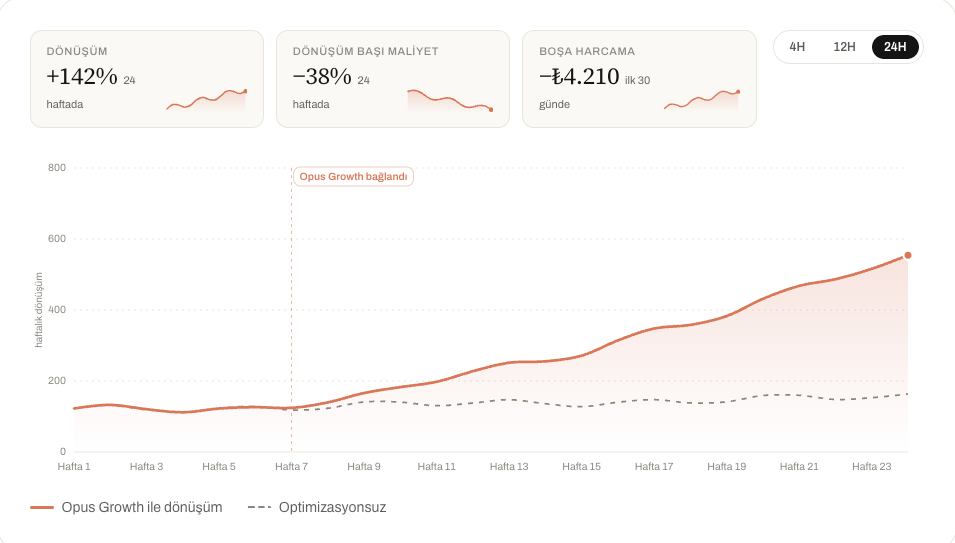
Yes. Because the connection is based on live spend and conversion data, it clearly shows which campaign or keyword is generating cost without delivering results.
Do I have to enter my Google password into ChatGPT?
No. Sign-in happens through OAuth, and your password is never passed to ChatGPT or the connector at any point.
Should the “elevated risk” message worry me?
No. This warning appears automatically for every custom connector added through Developer mode. It doesn't mean there's a specific problem with the connector's trustworthiness — it's simply a reminder to grant permissions carefully.
Can I connect more than one Google Ads account?
On Free and Pro, you can connect a single account. If you manage multiple client or brand accounts, the Agency plan offers support for unlimited accounts.
Can I opt out whenever I want?
Yes, there's no commitment. You can remove the connection whenever you like.
Can ChatGPT change my campaigns without my approval?
No. You decide which actions to allow when you set up the connection; no change is applied without your approval.
Is my account data being sent anywhere else?
No. Your data is used only to answer the questions you ask, within the conversation that's open at that moment.
In short
If your Google Ads spend is climbing but the results aren't keeping pace, the problem usually isn't the budget — it's not being able to reach the data in time. Connecting your account to ChatGPT closes that gap: with no report to wait on and no spreadsheet to build, you ask the question directly and get the answer instantly.
Connect your Google Ads to your AI assistant
Try everything in this article on your own account — 60-second setup, 7-day free trial, no credit card required.