How Do I Connect Google Ads to Claude?
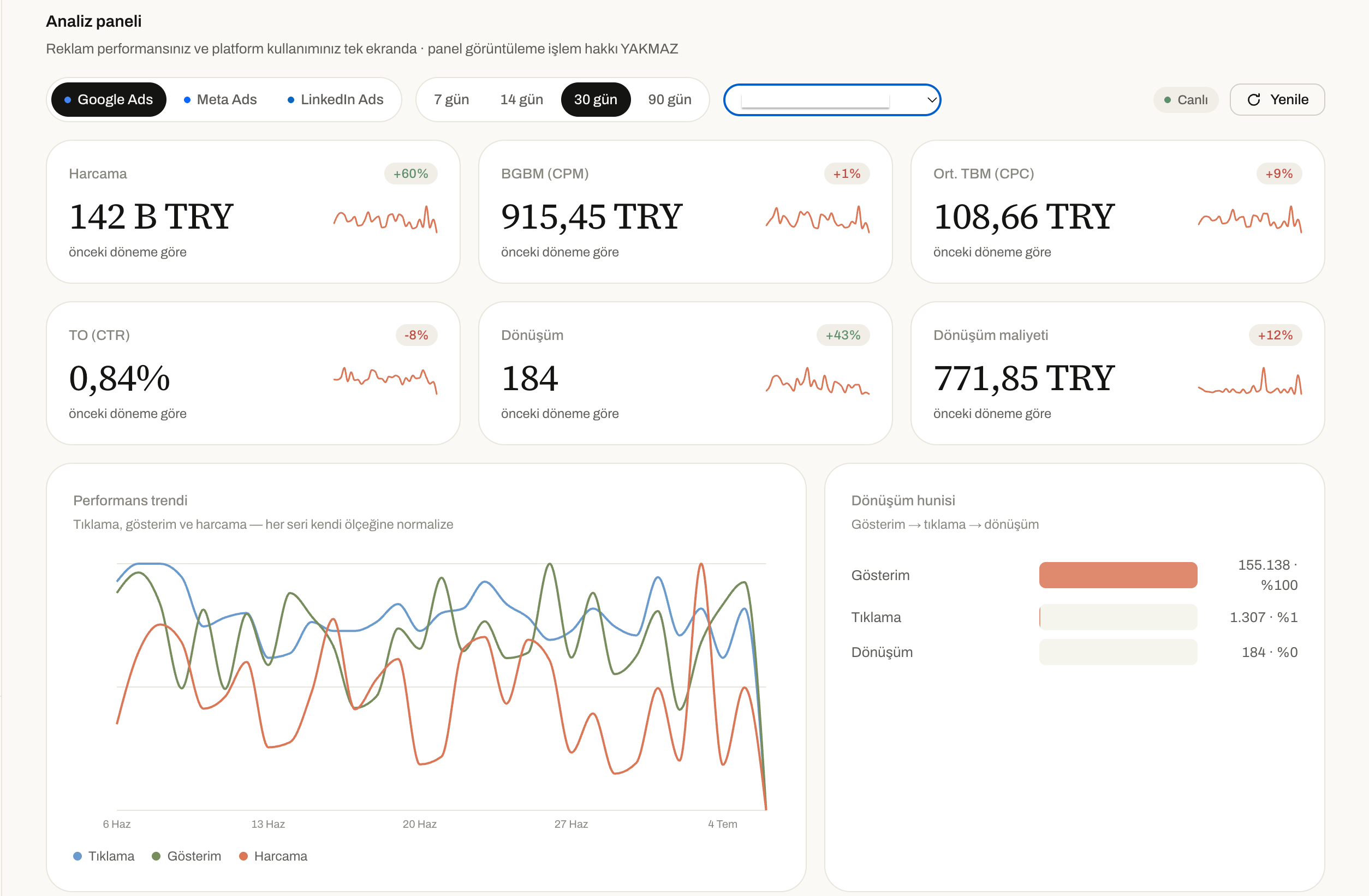
Every month, you see the Google Ads bill. The budget goes out, the clicks come in. But did sales actually go up? Did you win new customers, or just burn cash? Figuring that out takes hours. You click from campaign to campaign in the Google Ads dashboard, trying to pin down which keyword is pulling its weight and which ad is eating your money. Most of the time you run out of hours before you find a clear answer.
Category
Author
Date
Reading time
Share
Every month, you see the Google Ads bill. The budget goes out, the clicks come in. But did sales actually go up? Did you win new customers, or just burn cash? Figuring that out takes hours. You click from campaign to campaign in the Google Ads dashboard, trying to pin down which keyword is pulling its weight and which ad is eating your money. Most of the time you run out of hours before you find a clear answer.
There’s a way to fix this: connect your Google Ads account to Claude.
What’s the real problem?
Most people running Google Ads wrestle with the same three questions:
- Where is my money going? Which campaign or keyword is draining the budget while delivering nothing in return?
- Which campaign is actually working? Lots of clicks but few sales — or is it the other way around?
- What should I change? Where do I cut budget, and where do I add it?
Technically, the answers to these questions are all there in the Google Ads dashboard. But to find them, you have to export reports, build spreadsheets, and spend hours comparing numbers. Most business owners and marketers simply don’t have that kind of time.
The solution: connect to Claude, ask your question, get the answer
Once your Google Ads account is connected to Claude, you no longer need to export a single report. You just ask, and Claude looks at the real data in your account and gives you a clear, plain-language answer. For example:
- “Which campaign wasted my money this month?”
- “List the keywords that aren’t driving conversions.”
- “Why did my costs go up compared to last month?”
- “Which campaign should I shift my budget to?”
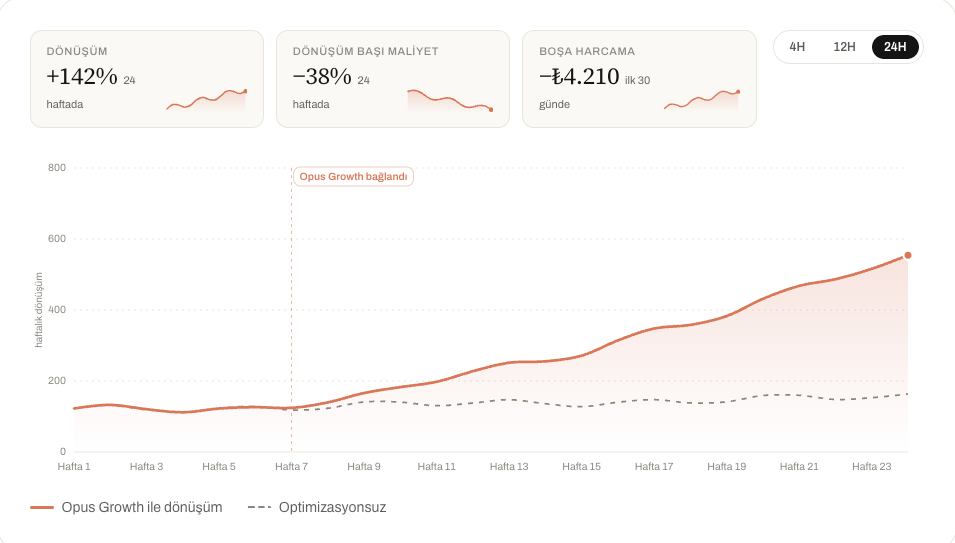
This turns work that takes hours in the Google Ads dashboard into a few seconds. Instead of reading numbers, you spend your time making decisions.
How do you connect it?
- Open Claude. Sign in at claude.ai or through the desktop/mobile app.
- Go to Customize > Connectors.
- Click the “+” icon.
- Select the Opus Growth Google Ads connector, or use “Add custom connector” and enter the connector URL:
https://googleads.opus-growth.com/mcp - Sign in with your Google account. This step runs through OAuth; Claude never sees your password and only acts within the permissions you grant.
- You’re connected. You can now ask Claude questions about your account directly.
You can remove the connection anytime, with no commitment and no waiting period.
The Opus Growth Google Ads Connector
We built this connector to bring your Google Ads data into Claude in real time and with full accuracy. It uses the standard MCP (Model Context Protocol); your data comes straight from your own account and never passes through a third party.
You can see exactly which data you’re granting access to on the connection screen, so control stays entirely with you.
Plans
| Plan | Number of Accounts | Who It’s For |
| Free | 1 account | Anyone who wants to quickly try it out with a single account |
| Pro | 1 account | Businesses that use it regularly and manage a single account |
| Agency | Unlimited accounts | Agencies managing multiple client accounts |
Frequently Asked Questions
Will this connector really find my wasted budget?
Yes. Claude looks at the real spend and conversion data in your account and shows you which campaigns or keywords are running up costs without driving conversions.
Do I have to give Claude my password?
No. You sign in to your Google account through OAuth. Claude never sees your password.
How many accounts can I connect?
On the Free and Pro plans, you can connect one account. If you manage multiple accounts (an agency or several clients), the Agency plan lets you connect unlimited accounts.
Can I cancel the connection whenever I want?
Yes. You can remove the connection at any time, with no waiting period.
Will Claude change my ads for me?
That depends on the permissions you grant. You see which actions permission is being requested for before you connect, and nothing is changed without your approval.
Is my data shared with anyone else?
No. Your data is used only within your own conversation, to answer your own questions.
Bottom line
If you’re spending on Google Ads without seeing results, the problem usually isn’t the budget — it’s not being able to reach your data quickly and accurately. Connecting your account to Claude removes that barrier. No waiting on reports, no building spreadsheets: you just ask the question and get the answer.
Connect your Google Ads to your AI assistant
Try everything in this article on your own account — 60-second setup, 7-day free trial, no credit card required.