Fill in before sending
[server name][my full name][title, date, text or draft][year ranges and roles][email][GitHub, LinkedIn etc. or "none"][yes and from when, or no][domain][slug][[NAV]
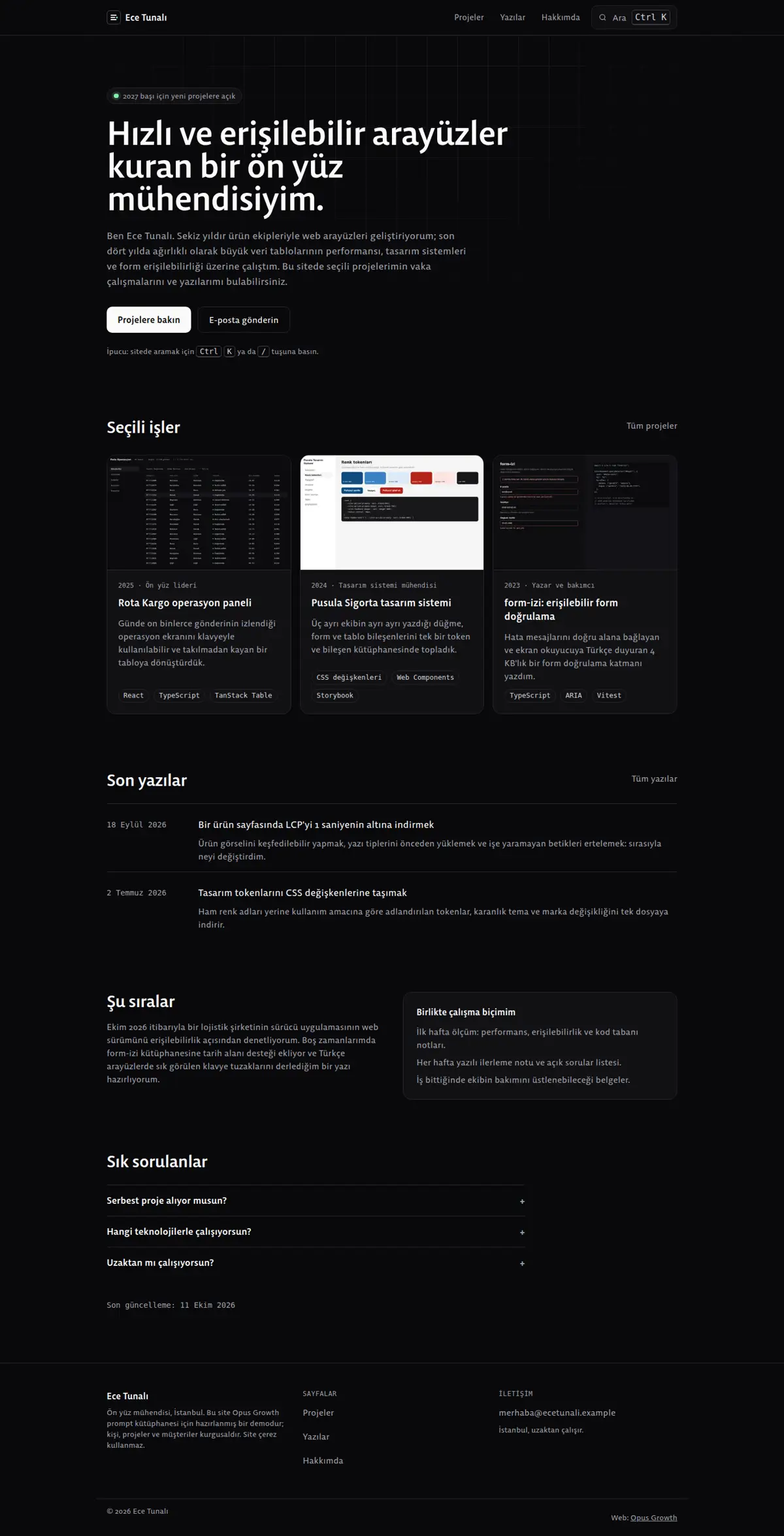
On the [server name] site on my Opus Growth hosting server, build a static personal portfolio for [my full name] with the dark, calm feel of the Linear and Vercel sites. About me: [my title, my city, what I have done for how many years, two sentences]. Projects: [for each one the name, year, my role, whether I may publish the client's name, the technologies, context, constraints, approach and outcome notes, and a screenshot link]. Posts: [title, date, text or draft]. Experience: [year ranges and roles]. Contact: [email]; profiles I want to publish: [GitHub, LinkedIn etc. or "none"]. Open to new work: [yes and from when, or no]. Domain: [domain].
Pages: home (short intro, selected work, latest posts, what I am doing now, FAQ), projects (/projeler/), a page for each case study (/projeler/[slug]/: context, constraints, approach, outcome, project facts), writing (/yazilar/), a page for each post (/yazilar/[slug]/), about (/hakkimda/) and 404.html. If the client has not approved figures, write no percentages or durations in a case study; describe the outcome qualitatively.
Style: dark minimal. A background around #09090B, cards one step lighter, a 1 pixel dark grey border, near-white text, secondary text in a grey with at least 7:1 contrast on the background, and a single accent colour used only for a status dot, the focus ring and links. Two weights of a Fontshare grotesk (for example Bespoke Sans 400 and 500); for dates and labels use the system monospace stack without downloading a font (ui-monospace, SFMono-Regular, Menlo, Consolas). If the numerals look old-style, set `font-variant-numeric: lining-nums`. The hero has no image; thin grid lines that fade out under a mask are drawn behind it with CSS.
Interaction rules:
1. GSAP, Lenis, Swiper and ready-made search libraries (Fuse.js and the like) are NOT loaded. Every page gets one small `ix.js` with defer (spotlight, command menu trigger, data-reveal) and the command menu itself lives in a separate `ara.js`. ara.js is not downloaded with the page; it loads when the pointer enters or focus reaches the trigger, or when the menu first opens. In the demo the post pages had no ix.js and Ctrl K did nothing there; the menu must behave the same on every page.
2. Spotlight cards: a soft light on the card's ::before with `radial-gradient(420px circle at var(--mx) var(--my), ...)` and an accent glow on the 1 pixel border on ::after using mask-composite. JS adds a single pointermove listener to the container around the cards, throttles it with requestAnimationFrame, writes --mx and --my relative to each card's own box and clears them when the pointer leaves. This runs only on devices that match `(hover: hover) and (pointer: fine)` and do not ask for reduced motion; on touch the card stays plain. The link in the card title covers the whole card with an ::after.
3. Command menu: the "Search" item in the header is a real link to /projeler/ in the HTML (useful with JS off) and carries aria-keyshortcuts="Control+K Meta+K". JS intercepts the click; Ctrl K, Cmd K and the / key (outside text fields) open the menu. The menu is a `<dialog>` built by JS on first open and opened with showModal: a search box with role="combobox", aria-expanded, aria-controls, aria-autocomplete="list" and aria-activedescendant, a result list with role="listbox", and a role="status" region that reads the result count. Arrow keys move the selection, Enter goes to the selected page, Esc closes it through the dialog's own behaviour, clicking the backdrop closes it and focus returns to the trigger on close.
4. Search index `/assets/ara.json`: title, type (Project, Post, Page), URL, a one-sentence summary and keywords for every project, post and main page. Do not write this file by hand; generate it from the same data you use for the project and post pages so the two never drift apart. Make the search insensitive to Turkish characters (toLocaleLowerCase("tr"), then fold ı, ş, ğ, ü, ö, ç), require every word to match and rank title matches higher.
5. A case study page opens with a facts table (year, role, client, technology) and the screenshot that is its LCP element (fetchpriority="high", not lazy); card titles are h2 on list pages and h3 inside an h2 section on the home page.
Schema: ProfilePage on home and about (mainEntity Person), Person (@id /#person: name, jobTitle, url, email, an address with only city and country, knowsAbout, and sameAs only for the profiles I gave you). The Organization block that seo-stamp writes stands for your sole-trader business; link the Person to it with worksFor. Projects get CollectionPage with hasPart; each case study is a CreativeWork (creator Person, dateCreated, image, keywords); writing gets Blog and every post a BlogPosting (headline, image, datePublished, dateModified, author Person; seo-check raises an error if image or datePublished is missing). Talks, awards and client lists contain only verifiable facts.
Setup and known pitfalls (each one cost points in the demo measurements, do not skip any):
1. If a site is already live on the server, tell me first, because setup overwrites index.html and the assets folder. Preview scaffold_site with confirm=false, and call it with confirm=true only after I approve. Then read site_design_guide and site_seo_guide. Before writing code, put the design direction (typography, colours, grid, signature element, motion language and the libraries that will NOT be loaded) in a short ART.md file outside assets and show it to me.
2. Compile Tailwind, do not load it from the CDN. Install it with site_run_command and background=true (`npm i -D tailwindcss@3`) and follow it with site_command_status. The content paths in `tailwind.config.js` must cover every HTML file, the `_src` templates and any JS file that writes classes. `_src/tw.css` holds the line `@import "../assets/app.css";` plus the three `@tailwind` lines; compile it into a single file with `npx tailwindcss -c tailwind.config.js -i _src/tw.css -o assets/site.css --minify`. Remove the cdn.tailwindcss.com script and the inline tailwind.config from every page and link only `/assets/site.css`. Recompile after every HTML change.
3. Host the fonts yourself. Read the CSS of the Fontshare family you chose, download each weight's woff2 separately with site_fetch into `assets/fonts/`, and write the @font-face rules with `font-display: swap` into `assets/app.css`, which is where design-check looks for a custom font. Check the font-family name in the downloaded CSS and confirm the family has the Turkish letters ı, İ, ş and ğ (Tanker has no ı). Preload EVERY weight used in the first screen with `<link rel="preload" as="font" type="font/woff2" crossorigin>`, placed before the stylesheet line; if that is more than three files, use fewer weights. In the demo a single body weight that was not preloaded pushed mobile LCP to 2.6 seconds and Performance down to 97. Most Fontshare fonts lack the ₺ sign, so write prices with "TL".
4. Make the menu and footer static HTML. Do not load chrome.js, motion.js or site.config.js on the pages. Write a small `chrome-stamp.mjs` that reads the nav list from site.config.js and stamps `_src/header.tpl` and `_src/footer.tpl` between the `<!-- nav:start --><!-- nav:end -->` and `<!-- footer:start --><!-- footer:end -->` markers on every page, adding aria-current="page" to the active link. Use placeholders like `[[NAV]]` instead of `{{...}}` and do not give the templates an .html extension, otherwise design-check and seo-check treat them as half-finished pages. Build the mobile menu with a JS-free `<details>`. Keep the business name, address and phone as plain text in the footer, and make footer and breadcrumb links at least 44 pixels tall.
5. Convert images while fetching them with site_fetch: write the same image as separate files with resize="480x", "800x" and "1200x", image_format="webp", quality=60 (site_fetch does not crop, so request the source at the ratio you need). Give every `<img>` srcset, sizes and width and height that match the real ratio. The image that is the page's LCP element gets fetchpriority="high" and is not lazy; every other image gets loading="lazy" decoding="async". If an image fills the first mobile screen, serve a smaller crop to mobile with `<picture>`.
6. Add `<link rel="icon" href="/favicon.svg" type="image/svg+xml">` to every page and make a 180 pixel apple-touch-icon from the logo with site_fetch and resize="180x180". Without a favicon link the browser requests /favicon.ico, logs a 404 and Best Practices drops to 96.
7. HTML validator rules: start each document with an uppercase `<!DOCTYPE html>`; every space in the visible text of a tel: link must be ` `, including the one after a prefix such as "Call: 0212..."; do not use style=""; give every button a type; put aria-label only on landmarks, forms or interactive elements (on a ul or a role-less div it was an error); never label two landmarks with the same name; leave no trailing whitespace.
8. Do not skip heading levels: on a list page, card titles as h3 straight after the h1 dropped Accessibility to 98. When you reuse a card, set its heading level per page (h2 on a list page, h3 inside an h2 section).
9. Name the motion attribute data-reveal (design-check only recognises motion by that name). JS gives the hidden starting state only to blocks that are below the screen when the page opens, and never hides first-screen content; use transform, because fading with opacity lowers the contrast audit. Put the attribute on the block that wraps a heading and its description, not on the heading alone; in the demo a waiting heading slid over the paragraph below it. With prefers-reduced-motion: reduce nothing is hidden and animations are off.
SEO, AEO and GEO:
1. Use directory-style URLs with a trailing slash. Fill the seo block of site.config.js and run `node seo-stamp.mjs`. Write page-specific schema in separate `<script type="application/ld+json">` blocks linked to the base graph with @id. Do not nest BreadcrumbList inside @graph; keep it in its own block, which is the only way seo-check sees it.
2. Titles at most 60 characters (seo-check flags anything under 25 or over 65 as an error), descriptions 130 to 158 characters, one h1 per page, and at least 150 words of main content on every page. Contact, privacy and list pages tend to fall short; add page-specific information, not filler.
3. The first paragraph of every page answers the page's question directly. Write page-specific FAQs with `<details>` and mark them up as FAQPage. Show the publisher and a "Last updated" date in a `<time>` element.
4. In robots.txt, write your decision with a reason for GPTBot, OAI-SearchBot, ChatGPT-User, ClaudeBot, Claude-User, Claude-SearchBot, PerplexityBot, Perplexity-User, Google-Extended, Applebot-Extended, Bingbot and CCBot, and point to the sitemap. sitemap.xml carries real lastmod dates. llms.txt holds an accurate two-sentence summary of the site and a list of the important pages.
5. No fabrication: do not write reviews, ratings, awards, customer counts, certificates, opening hours, coordinates or prices without asking me. Leave any field you do not know out of the schema entirely.
Gates (in order; do not say "done" until all pass):
1. With site_run_command run `node chrome-stamp.mjs`, the Tailwind build, `node seo-stamp.mjs`, `node seo-check.mjs` (0 errors, 0 warnings), `node design-check.mjs` (0 errors; justify any remaining warning) and `npx html-validate "**/*.html"` (0 errors).
2. View every page with site_preview, view="mobile" and view="desktop". site_preview captures the page with motion off (reduced-motion); if content is missing in that capture, the static state is broken. In full-page captures, fixed elements such as a sticky bar can appear mid-page and lazy images further down can be blank; do not count those as errors, but check their paths.
3. Run core_web_vitals for every page with strategy="mobile" and strategy="desktop". Acceptance: on mobile Performance at least 95 (target 99 to 100) and Accessibility, Best Practices and SEO 100; on desktop all four at 100. For a page that misses, use resources=true to find the file that delays it, fix it and measure again. Then run seo_audit on the home page with strategy="mobile" and runs=2. No address outside your own domain may remain in the network request list.
4. No horizontal scrolling at 360, 390, 768 and 1440 pixels wide, touch targets at least 44 pixels, no console errors.
Interaction check: site_preview cannot show hover, keyboard shortcuts or dialogs. Tell me how to check on a desktop that the light follows the pointer over the cards; that Ctrl K, Cmd K and / open the menu, that typing without Turkish characters still finds results ("erisilebilir" and the like), that the arrow keys and Enter take me to a post, that focus returns to the Search button after Esc, and that with JavaScript off the Search link opens the projects page.
After publishing: preview the rule `/assets/* Cache-Control: public, max-age=31536000, immutable` with site_headers and apply it once I approve; from then on, version the file name whenever CSS or JS changes (site-v2.css and so on). Submit sitemap.xml with gsc_submit_sitemap and check the home page with gsc_url_inspect. At the end give me: a page-by-page score table (page, four mobile scores, four desktop scores, LCP, CLS), the result of each gate and the list of fixes you applied.