Fill in before sending
[server name][studio name][what it does, for whom][city, district][3 services][email][phone][WhatsApp number][address][domain][[NAV]
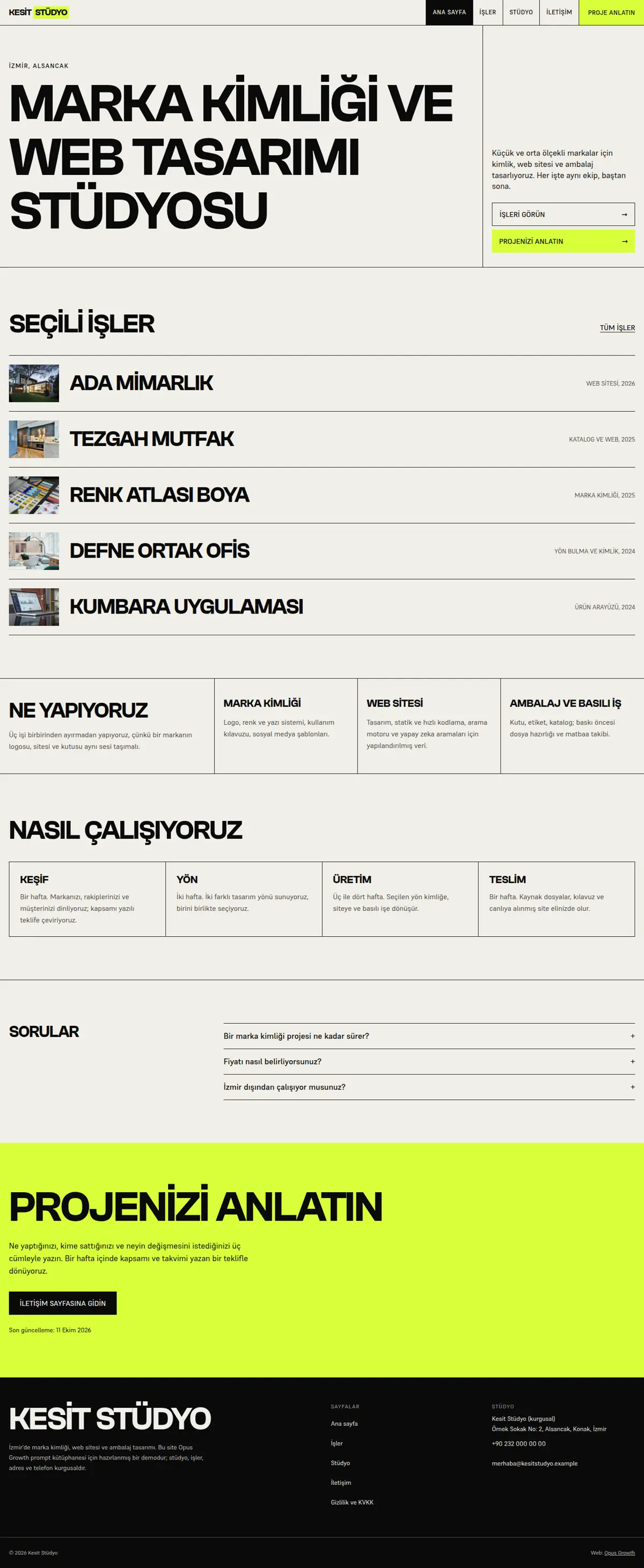
On my Opus Growth hosting server [server name], build a static, fast portfolio site for [studio name] that feels like the interactive agency sites made in Webflow, without using Webflow. Studio: [what it does, for whom], city and district: [city, district]. Services: [3 services]. Projects: [for each: name, type of work, year, one sentence on the problem, one on the solution, image link]. Contact: [email], [phone], [WhatsApp number], [address]. Domain: [domain].
Pages: home (hero, selected work index, what we do, process, FAQ, closing call to action), work (/isler/: gallery plus problem, work done and delivery note for each project), studio (/hakkimizda/), contact (/iletisim/, no form; email, WhatsApp with a prefilled message and phone), privacy (/gizlilik/) and 404.html. Without data approved by the client, do not write percentages or growth figures for project results; describe the outcome in words.
Style: brutalist modern. Sharp corners, visible 1 px grid lines, a bold uppercase grotesk display (for example Clash Grotesk) and a calm body font (for example Supreme), one fluorescent accent used only as a background with black text on it. Hover states change colour and background; the focus ring is thick and visible on every background.
Interaction rules (the Webflow IX2 feel, without a library):
1. Do NOT load GSAP or Lenis. Write the interactions in one small vanilla JS file (IntersectionObserver and requestAnimationFrame) and load it with defer only on the home and work pages. No script on the other pages.
2. Signature element, the "Selected work" index: every row is a real link to the project and carries the preview image path in a data-img attribute. By default (no JS or a touch device) each row shows a small image in the flow. Only on devices matching `(hover: hover) and (pointer: fine)` that do not ask for reduced motion, the JS adds a cursor-fx class to `<html>`, hides the inline images and shows one preview box that follows the pointer. Move the box with CSS variables and transform: translate3d instead of left and top, and stop the requestAnimationFrame loop when the pointer rests. On keyboard focus the same preview opens fixed beside the row and closes when focus leaves.
3. Add the custom cursor ring only under the same condition; never hide the native cursor, mark the ring aria-hidden and let it grow over links.
4. Section transitions: section headings open left to right with clip-path on scroll. The JS gives the hidden starting state only to headings that are below the screen when the page opens; first-screen content is never hidden. Name the attribute data-reveal; design-check recognises motion by that name and warns "no motion" otherwise.
5. Swiper gallery only on the work page. Without JS the gallery HTML is a horizontal CSS scroll-snap strip, and the previous and next buttons stay hidden until Swiper starts. Download the Swiper 14 bundle js and css into `assets/vendor/` with site_fetch. Load it when the pointer enters the gallery, on touch, on focus, or on the first page scroll. In the demo, loading it when the gallery came near the viewport pushed mobile LCP to 3 s because of the 150 KB bundle (Performance 94); loading on first interaction gave 99. Turn on the Navigation, Keyboard and A11y modules with Turkish messages, and set the transition speed to 0 under reduced motion.
6. Build the slides with div instead of ul and li. Swiper gives slides role="group"; on li that role caused aria-allowed-role and list errors and dropped Accessibility to 96.
Setup and known traps (each one lowered a score in the demo measurements, do not skip):
1. If a site is already live on the server, tell me first, because the setup overwrites index.html and the assets folder. Preview scaffold_site with confirm=false and call it with confirm=true after my approval. Then read site_design_guide and site_seo_guide. Before writing code, put the design direction (typography, colour, grid, signature element, motion language and the libraries that will NOT be loaded) in a short ART.md outside assets and show it to me.
2. Compile Tailwind instead of loading it from the CDN. Install it with site_run_command and background=true: `npm i -D tailwindcss@3`, then follow it with site_command_status. The content paths in `tailwind.config.js` must cover every HTML file, the templates and any JS file that writes class names. `_src/tw.css` holds the line `@import "../assets/app.css";` and the three `@tailwind` lines; compile it into one file with `npx tailwindcss -c tailwind.config.js -i _src/tw.css -o assets/site.css --minify`. Remove the cdn.tailwindcss.com script and the inline tailwind.config from every page and link only `/assets/site.css`. Recompile after every HTML change.
3. Host the fonts yourself. Read the CSS of the Fontshare families you picked, download the woff2 file of each weight into `assets/fonts/` with site_fetch, and write the @font-face rules with `font-display: swap` into `assets/app.css`; design-check looks for a custom font there. Check the font-family name in the CSS you downloaded, because Fontshare can return a different family when a weight does not exist. Preload the font of the first-screen heading and the body font on every page with `<link rel="preload" as="font" type="font/woff2" crossorigin>`; in the demo this removed the layout shift caused by the font swap (CLS 0.024 to 0). Most Fontshare fonts have no ₺ glyph, so write "TL" for prices.
4. Make the menu and footer static HTML. Do not load chrome.js or site.config.js on the pages. Write a small `chrome-stamp.mjs` that reads the nav list in site.config.js and stamps `_src/header.tpl` and `_src/footer.tpl` between the `<!-- nav:start --><!-- nav:end -->` and `<!-- footer:start --><!-- footer:end -->` markers of every page, adding aria-current="page" to the current link. Do not give the templates an .html extension and use placeholders like `[[NAV]]` instead of `{{...}}`, otherwise design-check and seo-check read them as unfinished pages. Build the mobile menu without JS using `<details>`. Keep the business name, address and phone in the footer as plain text.
5. Convert images while downloading them with site_fetch: write the same photo to separate files with resize="480x", "800x" and "1200x", image_format="webp", quality=65. Give every `<img>` srcset, sizes, width and height. The main first-screen image gets fetchpriority="high" and is never lazy; the rest get loading="lazy" decoding="async". If the main image fills the phone screen, serve a wider, smaller crop on mobile with `<picture>` (in the demo the mobile hero went from 89 KB to 43 KB).
6. Create a 48 px PNG favicon from the logo with site_fetch and add `<link rel="icon">` to every page. Without it the browser logs a 404 and Best Practices drops to 96.
7. HTML validator rules: start every document with an uppercase `<!DOCTYPE html>` (the kit's starter files use lowercase), use ` ` for the spaces in the visible text of tel: links, never use a style="" attribute, and give every button type="button".
SEO, AEO and GEO:
1. Use directory URLs with a trailing slash (/isler/, /hakkimizda/, /iletisim/, /gizlilik/). Fill in the seo block of site.config.js and run `node seo-stamp.mjs`. Write the page-specific schema (home WebPage and FAQPage; work CollectionPage with one CreativeWork per project under hasPart; studio AboutPage; contact ContactPage; BreadcrumbList on inner pages. For a studio with a physical office use businessType ProfessionalService) in separate `<script type="application/ld+json">` blocks and link it to the base graph with @id. Do not bury BreadcrumbList inside an @graph; give it its own block, because that is the only way seo-check sees it.
2. Titles 48 to 60 characters (seo-check flags anything over 65 as an error), descriptions 145 to 158 characters, one h1 per page. Every page needs at least 150 words of main content; contact and privacy pages tend to fall short.
3. The first paragraph of each page answers the page's question directly. Write a page-specific FAQ with `<details>` and mark it up as FAQPage. Show the publishing organisation and a "Last updated" date with `<time>`.
4. In robots.txt, write your decision with its reason for GPTBot, OAI-SearchBot, ChatGPT-User, ClaudeBot, Claude-User, Claude-SearchBot, PerplexityBot, Perplexity-User, Google-Extended, Applebot-Extended, Bingbot and CCBot, and point to the sitemap. sitemap.xml carries real lastmod dates. llms.txt holds an accurate two-sentence summary of the site and the list of key pages.
5. Do not invent anything: no reviews, ratings, awards, customer counts, certificates, opening hours, coordinates or prices unless I give them. Leave unknown fields out of the schema.
Gates (in order; do not call it finished until all pass):
1. With site_run_command run `node chrome-stamp.mjs`, the Tailwind build, `node seo-stamp.mjs`, `node seo-check.mjs` (0 errors, 0 warnings), `node design-check.mjs` (0 errors; justify any remaining warning) and `npx html-validate "**/*.html"` (0 errors).
2. View every page with site_preview, view="mobile" and view="desktop". site_preview captures the page with motion turned off (reduced-motion), so if content is missing in that picture, the motionless state is broken. In full-page captures, lazy images further down may show as empty; that is not an error, but check their paths.
3. Run core_web_vitals for every page with strategy="mobile" and strategy="desktop". Pass: on mobile Performance at least 95 and Accessibility, Best Practices and SEO 100; on desktop all four at least 95. On a page that fails, use resources=true to find the file that holds it back, fix it and measure again. Then run seo_audit on the home page with strategy="mobile" and runs=2. The network request list must not contain any host other than your own domain.
4. No horizontal scrolling at 360, 390, 768 and 1440 px width, touch targets at least 44 px, no console errors.
Interaction check: site_preview cannot show hover or cursor effects. Tell me how to check in a desktop browser that the preview follows the pointer over the index rows, that it opens beside the row when tabbing, that a phone shows the inline images, and that the gallery swipes with a finger.
After publishing: preview the rule `/assets/* Cache-Control: public, max-age=31536000, immutable` with site_headers and apply it after my approval; from then on, rename CSS or JS files when they change (site-v2.css and so on). Submit sitemap.xml with gsc_submit_sitemap and check the home page with gsc_url_inspect. Finish with a per-page score table (page, four mobile scores, four desktop scores, LCP, CLS), the gate results and the list of fixes you applied.