Website

Measure my hosted site page by page, pass every quality gate and report before and after

Measures a live static site hosted on Opus Growth without touching it, fixes the problems in order of priority and repeats the same measurements. Speed, accessibility, SEO, readiness for AI search and mobile layout end up in one before and after table.

When to use it

When you are not sure your site hosted on Opus Growth is fast, works on phones and can be found by search and AI engines, and you want it fixed with proof.

What you get

A before and after score table per page and device, the gate results, the changed files with reasons and the items waiting for your input; nothing changes before you approve.

Does it change anything in my account?

Only with your approval. The assistant first shows a preview of every change and waits for your go-ahead.

Works with

SEO Intelligence, Search Console

Fill in before sending

[site address][server name][site key, or "main site"][business name][industry][services][phone][address][service area][opening hours][email][where the real photos are]
My site [site address] is live on my Opus Growth hosting server. The server name is [server name], and if it is an extra site its key is [site key, or "main site"]. I want you to take this site to the highest standard by passing every page through measurable gates. First measure without changing anything, then fix the problems in order of priority, then measure again the same way. Do not call the job done until the criteria below are met. Business details, with "none" where I do not know: [business name], [industry], [services], [phone], [address], [service area], [opening hours], [email], [where the real photos are]. 1. Preparation. Read the guides with site_design_guide and site_seo_guide. List the files with site_list_files and the current version with site_versions, and note it as the restore point. List the published pages, leaving out the 404 page. Do not call scaffold_site, because it overwrites the existing index.html and assets folder. 2. Before measurement, changing nothing: 1. For every page, get the mobile and desktop performance score, LCP, CLS and TBT with core_web_vitals. 2. For the home page and [most important service page], use seo_audit to list the mobile accessibility, SEO and best practices failures element by element. This tool uses credits, so tell me how many calls you will make first. 3. With site_run_command, run `node seo-check.mjs`, `node design-check.mjs` and `npx --yes html-validate "**/*.html"` in the site root. If the kit tools are not in the root, use seo_technical_audit instead of these three and say so in the report. 4. Open every page with site_preview at 360, 390, 768 and 1440 pixels wide. Look for horizontal scrolling, overflowing headings, overlapping elements and tap targets smaller than 44 pixels. 5. Read the home page with site_read_url and text=true. Say whether a browser that does not run JavaScript sees the menu, the internal links, the phone number and the address. With the same tool, check that robots.txt, sitemap.xml and llms.txt return 200. 6. Tick this list for AI search: is robots.txt open to GPTBot, OAI-SearchBot, ChatGPT-User, ClaudeBot, Claude-User, Claude-SearchBot, PerplexityBot, Perplexity-User, Google-Extended, Applebot-Extended, Bingbot and CCBot; does sitemap.xml carry real lastmod dates; does llms.txt give a short, accurate summary of the site and its key pages; does every page carry JSON-LD tied into one @id graph (Organization, the right LocalBusiness subtype, WebSite, WebPage, BreadcrumbList on every page except the home page, FAQPage only where real questions are shown); does the service page answer the question directly in its first paragraph; is there a visible last updated date and business information. Put all of this in a "before" table per page and device. 3. Fix plan. Order the findings like this, show file by file what will change and wait for my approval: 1. Access: broken internal links, addresses returning 404, wrong canonicals, robots.txt blocks, unintended noindex. 2. Content: unfilled placeholders, missing or duplicated titles and descriptions, more or less than one h1, bodies under 150 words. Never invent anything; do not write hours, coordinates, ratings, prices, reviews, awards or customer counts I did not give you, ask me instead. 3. Accessibility: contrast, skipped heading levels, images without alt text, tap targets under 44 pixels. The kit's default footer uses light grey column titles that fail contrast and are h4 elements that break the heading order; rewrite them as normal paragraphs in dark grey text. 4. Menu and footer: `<site-nav>` and `<site-footer>` are printed by JavaScript, so browsers that do not run it never see the menu or the contact details, and the page shifts when the menu loads. Write a small `chrome-stamp.mjs` script that prints them as static HTML on every page: it reads site.config.js the way seo-stamp.mjs does, rewrites the area between `<!-- chrome:nav:start -->` and `<!-- chrome:nav:end -->` (chrome:footer for the footer) on every run, builds the mobile menu with `<details>` and no JavaScript, sets aria-current on the current page, keeps every link at least 44 pixels tall and prints the name, address and phone in the footer. Keep managing the menu only in site.config.js. 5. HTML validity: `<!DOCTYPE html>` in capitals, no inline style attributes, a type on every input, `&nbsp;` instead of spaces in a visible phone number (html-validate reports this as tel-non-breaking), width and height on every image. 6. Schema and AEO files: fill the gaps from the AEO list above. Put page specific JSON-LD at the end of the body. Re-stamp the base graph with `node seo-stamp.mjs`. If an address has to change, 301 redirect the old one with site_redirects; never use a meta refresh. 7. Performance: replace the Tailwind Play CDN with compiled, minified CSS, host the fonts yourself, regenerate the images as WebP and AVIF with srcset, remove unused scripts and check the cache headers with site_headers. No request may leave the site's own origin, favicon included. 4. Apply after my approval. After every change rerun `node seo-stamp.mjs`, `node chrome-stamp.mjs` and the CSS build in that order. If anything breaks, go back to the version you noted with site_restore. 5. After measurement: repeat every measurement from step 2 on the same pages and devices. Use runs=2 for seo_audit, because lab results move from run to run. Criteria: on every page mobile performance of at least 95 and accessibility, best practices and SEO of 100; on desktop all four at least 95; seo-check 0 errors and 0 warnings; design-check 0 errors (explain every warning); html-validate 0 errors; no overflow at any of the four widths. Fix and measure again any page that misses a criterion. 6. After publishing: confirm with site_read_url that the live home page changed, submit sitemap.xml with gsc_submit_sitemap and show the home page's index status with gsc_url_inspect. My Search Console property is [Search Console property, or "none"]. Format the output like this: first a two sentence summary. Then a before and after table: page, device, performance, accessibility, best practices, SEO, LCP, CLS. Then a gate table: gate, before, after. Then the list of changed files and why each one changed. Finally, anything that could not be fixed or is waiting for information from me.

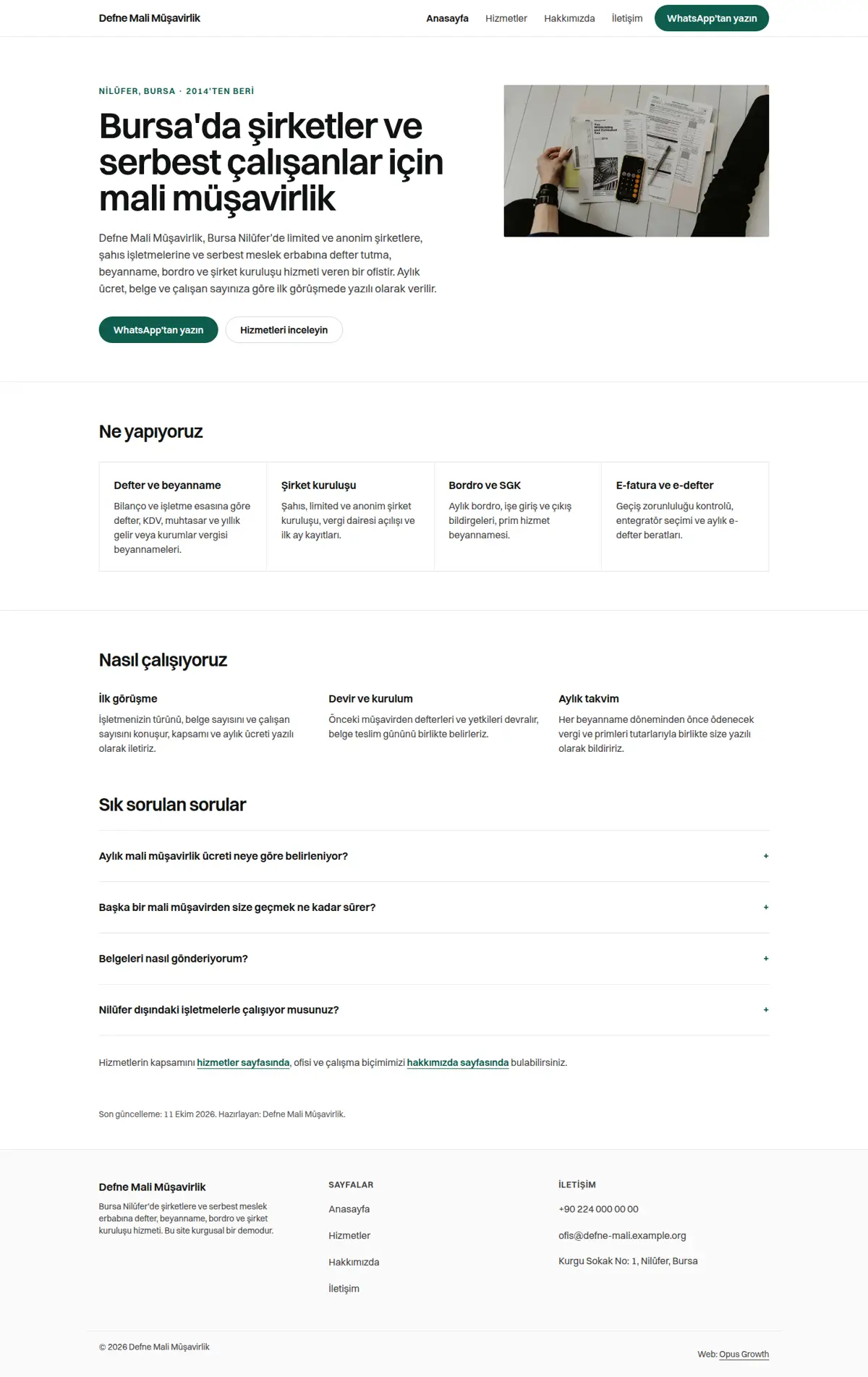
Example result

An example of the output this prompt produces. Its structure comes from the tools' real output; numbers and names are fictional.

Example output (on a fictional demo site; the business is fictional, the scores were really measured on this demo)

Four pages of a fictional site, Defne Mali Müşavirlik, were measured in Lighthouse three times: as the untouched kit skeleton, with content and schema added but the kit's CDN stack still in place, and after passing every gate. Completing the content cleared seo-check but lowered mobile performance; the real gain came from printing the menu statically and removing every third-party request.

PageDeviceBefore (skeleton)Middle (content, CDN)After
HomeMobile92 / 93 / 96 / 10073 / 94 / 100 / 100100 / 100 / 100 / 100
ServicesMobile94 / 93 / 96 / 10075 / 94 / 100 / 100100 / 100 / 100 / 100
AboutMobile92 / 93 / 96 / 10086 / 94 / 100 / 100100 / 100 / 100 / 100
ContactMobile93 / 94 / 96 / 10091 / 94 / 100 / 100100 / 100 / 100 / 100
ServicesDesktop100 / 92 / 96 / 10083 / 93 / 100 / 100100 / 100 / 100 / 100

Score order: performance / accessibility / best practices / SEO. Home page mobile LCP fell from 2.8 s to 1.5 s and CLS from 0.304 to 0; requests went from 18 to 6, third-party requests from 11 to 0 and page weight from 465 KB to 80 KB.

GateBeforeAfter
seo-check22 errors, 12 warnings0 errors, 0 warnings
design-check4 errors0 errors, 1 warning (no motion, a deliberate style choice)
html-validate8 errors0 errors
Overflow 360/390/768/1440nonenone
AEO listno robots, sitemap, llms.txt or schemaall present, 12 crawlers allowed

Notable changes:
1. The kit footer's light grey h4 column titles failed contrast and heading order; chrome-stamp.mjs made them dark grey paragraphs in a static footer.
2. The menu was printed by JavaScript, so the page shifted by 0.3 on first load; a static menu with a <details> mobile menu brought CLS to zero.
3. html-validate reported the spaces in the visible phone number as tel-non-breaking; fixed with &nbsp;.
4. With no favicon the console showed a 404; a local SVG favicon was added.

Waiting for you: opening hours and a map link were not given, so they were left out of the schema.

A sample site built with this prompt

Swiss-minimal, single Switzer type family, one dark green accent, hairline-ruled service grid, static and JS-free

Built for a fictional brand by following this prompt to the letter. Scores were measured with Lighthouse on every page.

Lighthouse scores (lowest page)
MobileDesktop
Performance100100
Accessibility100100
Best practices100100
SEO100100

Checks passed

  • seo check: önce 22 hata 12 uyarı, sonra 0 hata 0 uyarı
  • design check: önce 4 hata, sonra 0 hata, 1 uyarı (hiç hareket yok: İsviçre-minimal tarzda bilinçli)
  • html validate: önce 8 hata, sonra 0 hata
  • overflow: 360/390/768/1440 taşma yok, konsol hatası yok, 44 px altı dokunma hedefi yok
  • external requests: önce (içerikli CDN hali) 18 istek, 11 dış, 465 KB; sonra 6 istek, 0 dış, 72 ile 82 KB
  • tailwind before after: CDN yığınıyla mobil performans 73 ile 91, derlenmiş CSS ve kendi fontlarla her sayfada 100
  • folders: once/site = kit starter kopyası, ara/site = içerik+şema CDN'li, sonra/site = site/ son hal
Screenshots
Measure my hosted site page by page, pass every quality gate and report before and after: Mobile
Mobile
Measure my hosted site page by page, pass every quality gate and report before and after: Desktop
Desktop

Measured on: 2026-10-11

Related searches

These prompts work best when your AI assistant is connected to your accounts with Opus Growth.

Connect your accounts free

More prompts

WebsiteChanges after your approvalLive demo

Build an editorial expert site with a guides section and author schema

Has your assistant build an expert's site with a magazine-cover home page, long-form guides and an author profile. Serif typography, Article and Person schema and dated, sourced articles produce a publication people read and AI answers can cite.

When to use itWhen you are a consultant, specialist or one-person knowledge business and want your site to read like a publication that shows your expertise through writing, not like a brochure.

SEO Intelligence, Search Console
WebsiteChanges after your approvalLive demo

Build a heritage family business site with a classic look and modern standards

Has your assistant build a site in the spirit of an old label and shop sign for a producer in its third generation, framed and with a paper texture. The look is old, the build is new: mobile first, JavaScript-free, self-hosted fonts, WebP, Product and HowTo schema.

When to use itWhen you sell a craft passed down through generations, such as Turkish delight, olive oil, cheese or copperware, and want a classic look that carries that history without giving up speed or accessibility.

SEO Intelligence, Search Console
WebsiteChanges after your approvalLive demo

Build a Swiss-minimal law or accounting firm site with strong trust signals

Has your assistant build a still firm site on a strict grid, with hierarchy carried by a single type family. It puts the trust signals a YMYL field needs on the page: practitioner profiles, a dated and sourced guidance note, wording that respects professional advertising rules, and Person schema.

When to use itWhen a law, accounting or similar professional practice needs a site that looks serious and plain, stays within professional advertising rules and proves its expertise.

SEO Intelligence, Search Console
WebsiteChanges after your approvalLive demo

Build a JavaScript-free multi-page corporate site and deliver it at 100

Has your assistant build a still, fast and accessible site for corporate work such as architecture, engineering or consulting. Menu and footer are static HTML, fonts and CSS are self-hosted, and every page is measured before hand-over.

When to use itWhen a corporate business needs a multi-page site where speed and accessibility matter more than decoration, with no animation and no JavaScript.

SEO Intelligence, Search Console